
Download Microsoft IntelliType – Free Keyboard Customization Tool for Windows & Mac
Microsoft IntelliType is a powerful, free software tool designed to enhance keyboard functionality across Windows and Mac systems. This intuitive application gives users full control over their keyboard layout, allowing for key remapping, hotkey customization, and system command reassignment. Whether you're a professional typist, multilingual user, or someone who wants to optimize workflow efficiency, IntelliType offers a seamless way to tailor your keyboard to your unique needs.
With support for Microsoft keyboards, including IntelliType Pro models, the software enables advanced configuration such as disabling unused keys to prevent accidental presses. It’s especially useful when adapting foreign keyboard layouts or setting up personalized shortcuts for frequently used programs. The tool is secure, regularly updated, and available for free download, making it a top choice for users seeking reliable keyboard customization without additional costs.
Key Features of Microsoft IntelliType
Microsoft IntelliType stands out as one of the most versatile keyboard customization tools available. Its core strength lies in providing granular control over every aspect of keyboard behavior. One of the standout features is key remapping, which allows users to redefine any key’s function. For instance, you can swap the Caps Lock and Ctrl keys, assign a function key to launch your favorite app, or turn a rarely used key into a quick-access shortcut for system utilities. This is particularly beneficial for programmers, writers, and power users who rely on speed and precision.
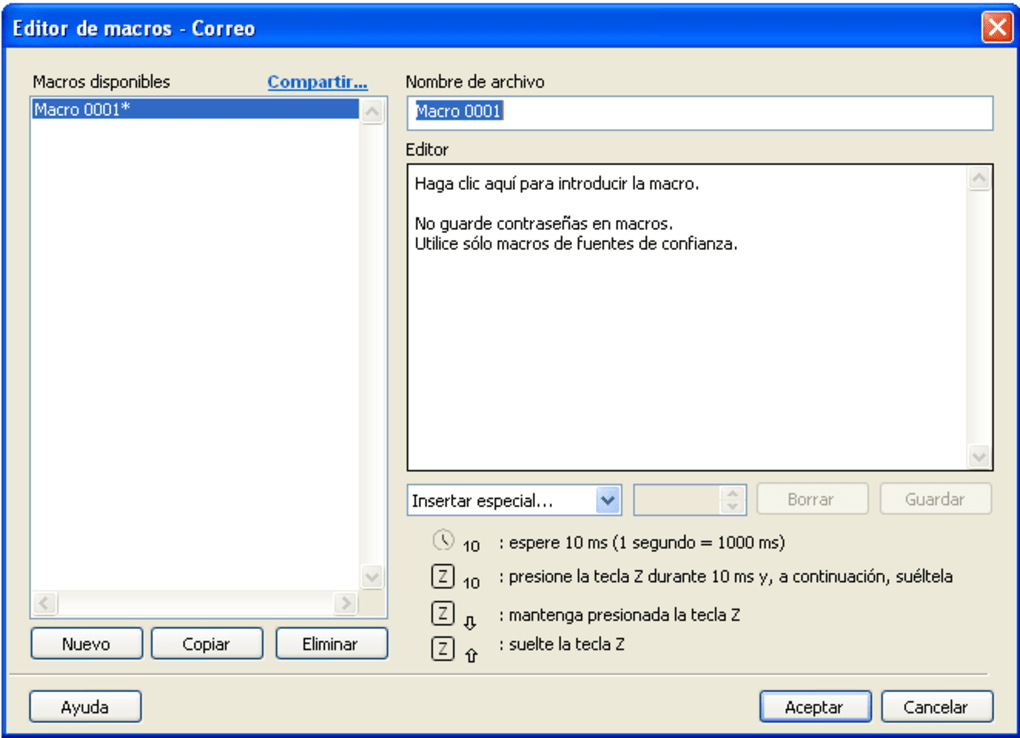
The software also supports hotkey assignment, letting you trigger complex actions with a single keystroke. You can set a key to open a specific program, launch a document, or even close all open windows. This reduces the need to navigate through menus or use the mouse, significantly boosting productivity. Another valuable feature is system command customization, where users can assign keys to perform actions like volume control, screen brightness, or sleep mode. This level of control is ideal for users who want a more personalized computing experience.
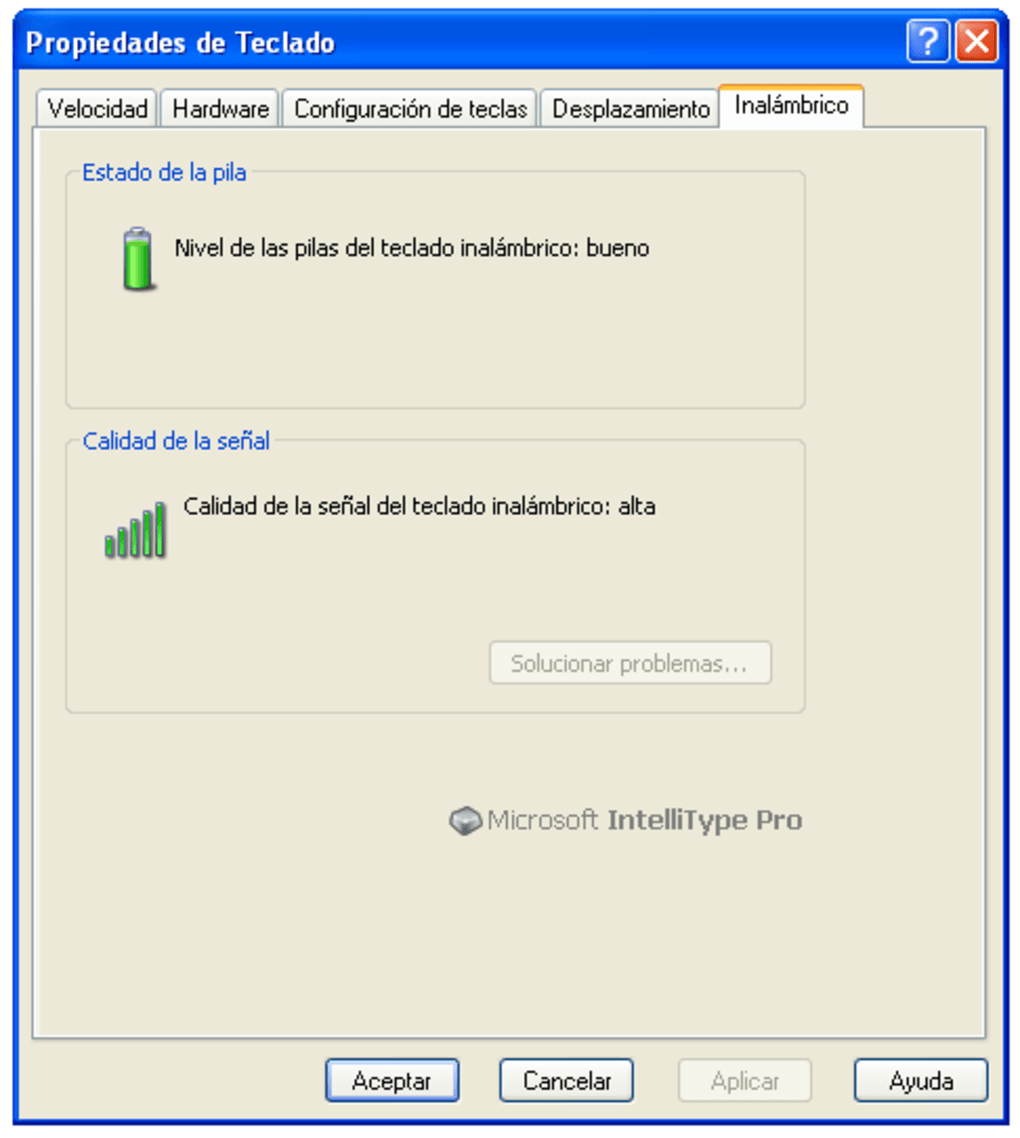
For those working with multiple languages, IntelliType offers keyboard layout adaptation, enabling users to switch between layouts seamlessly. This is especially useful for bilingual professionals or students learning a new language. Additionally, the software supports third-party biometric integration, allowing compatible Microsoft keyboards with fingerprint sensors to work with security applications. Although Bluetooth keyboards may require an additional service pack for full functionality, the software remains robust and reliable for supported devices.
Installation & Usage Guide for Microsoft IntelliType
Installing Microsoft IntelliType is a straightforward process, especially for users on supported operating systems. Begin by visiting the official Microsoft support website and navigating to the IntelliType download page. Select your keyboard model and operating system (Windows 7, 8, 8.1, 10, or Mac OS X) to ensure compatibility. Once the installer is downloaded, run it and follow the on-screen prompts. The setup is quick and typically takes less than five minutes.
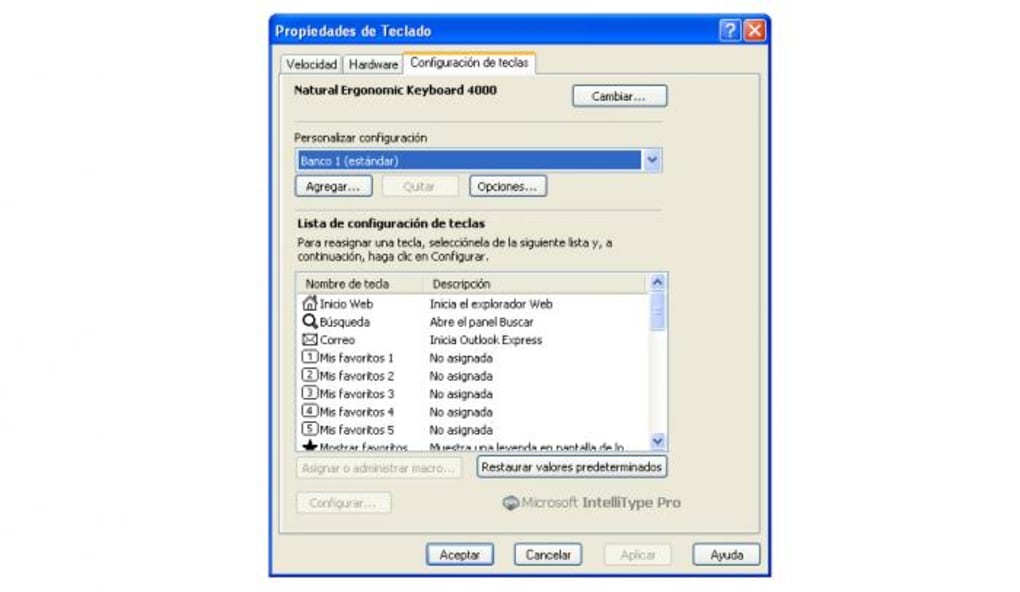
After installation, launch the IntelliType application from the Start menu or Applications folder. The main interface is clean and user-friendly, displaying all configurable keys in a visual keyboard layout. Click on any key to open its settings panel, where you can choose its new function. For example, to remap the F1 key to open Chrome, select the key, choose “Program Launch,” and browse to the Chrome executable file. You can also disable keys entirely by selecting “No Function,” which is ideal for preventing accidental presses during intense typing sessions.
For advanced users, IntelliType offers a profile system, allowing you to save multiple keyboard configurations. You can switch between profiles depending on your task—such as a “Programming” profile with custom shortcuts or a “Multilingual” profile with different layouts. The software also includes a quick settings panel that can be accessed via the system tray (Windows) or menu bar (Mac), enabling real-time adjustments without opening the full application. Regular updates ensure the software remains secure and compatible with new system patches.
Compatibility & System Requirements
Microsoft IntelliType is designed for users running supported versions of Windows and Mac OS X. On Windows, the software is compatible with Windows 7, 8, 8.1, and 10. It is important to note that IntelliType is not compatible with Windows 11, which may limit its usability for users on newer systems. For Mac users, IntelliType is available but only for specific Microsoft keyboard models, such as the Microsoft Sculpt Ergonomic Keyboard and certain Surface keyboard variants. Always verify your keyboard model before downloading to avoid compatibility issues.
The software requires minimal system resources, making it suitable for both older and modern machines. A stable internet connection is recommended during installation to download the latest drivers and updates. For optimal performance, ensure your keyboard is connected via USB (or Bluetooth with the required service pack installed). The software supports a wide range of Microsoft keyboards, including the IntelliType Pro, Comfort Curve, and certain wireless models.
While the tool is free to download and use, users should be aware that Microsoft has ceased active development for newer platforms. This means no new features are being added, and support may be limited in the future. However, for existing users on supported systems, IntelliType remains a reliable and secure solution for keyboard customization. Always download the software directly from Microsoft’s official site to avoid third-party versions that may contain malware or unwanted ads.
Pros & Cons of Microsoft IntelliType
- Pros:
- Free to download and use
- Advanced key remapping and hotkey customization
- Supports multiple keyboard profiles
- Enhances productivity for power users and professionals
- Secure and regularly updated (for supported OS)
- Helps adapt foreign keyboard layouts for multilingual users
- Cons:
- Not compatible with Windows 11
- Limited Mac support (only specific models)
- No new features since development slowdown
- Bluetooth keyboards may require additional service packs
- Official support may be phased out in the future
Frequently Asked Questions (FAQ)
- Is Microsoft IntelliType free to download?
Yes. Microsoft IntelliType is completely free to download and use. There are no hidden fees or subscription models. You can safely download it from Microsoft’s official support site.
- Can I use IntelliType with non-Microsoft keyboards?
No. IntelliType is specifically designed for Microsoft-branded keyboards. It may not work properly with third-party or non-Microsoft models, even if they are USB-compatible.
- Does IntelliType work on Windows 11?
No. Microsoft IntelliType is not officially supported on Windows 11. Users on this OS may encounter installation errors or functionality issues.
- How do I disable a key using IntelliType?
Easy. Open the IntelliType app, select the key you want to disable, and choose “No Function” from the dropdown menu. This prevents the key from producing any output.
- Can I assign a key to open a specific program?
Yes. IntelliType allows you to assign any key to launch a program, open a file, or run a script. Simply go to the key settings, select “Program Launch,” and browse to the desired executable.
Final Verdict & Call to Action
Microsoft IntelliType remains a valuable tool for users who want deeper control over their keyboard. Despite its lack of Windows 11 support and limited future development, it continues to deliver reliable performance on supported systems. If you're using Windows 7 through 10 or a compatible Mac keyboard, this free software can significantly improve your workflow, reduce repetitive strain, and enhance customization. Whether you're a programmer, multilingual user, or just someone who wants to streamline their daily tasks, IntelliType is worth downloading.
For a secure and hassle-free experience, always download Microsoft IntelliType directly from Microsoft’s official website. Don’t miss out on this powerful keyboard customization tool—download it today and take full control of your typing experience.







